Product tour

Walkthrough · 4 steps

Custom Reports

Any Admin can build a report against the company’s own data — by describing it to the AI assistant or writing the SQL directly — and share it so any staff member can run it and export the results. Every query runs read-only against curated, tenant-scoped views: never the raw tables, and never another company’s data.

  1. 1

    Describe what you need in plain English — the Custom Reports Assistant writes and can save the SQL for you. Prefer to write it yourself? The builder is right there too.
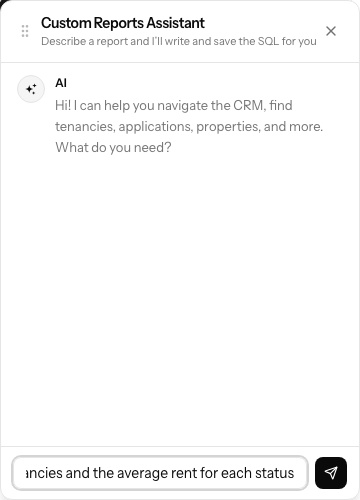
    Describe what you need in plain English — the Custom Reports Assistant writes and can save the SQL for you. Prefer to write it yourself? The builder is right there too.
  2. 2

    The available views sit right beside the query. Reference :date_from / :date_to and a date-range picker appears — here to test it, and again for whoever runs the saved report.
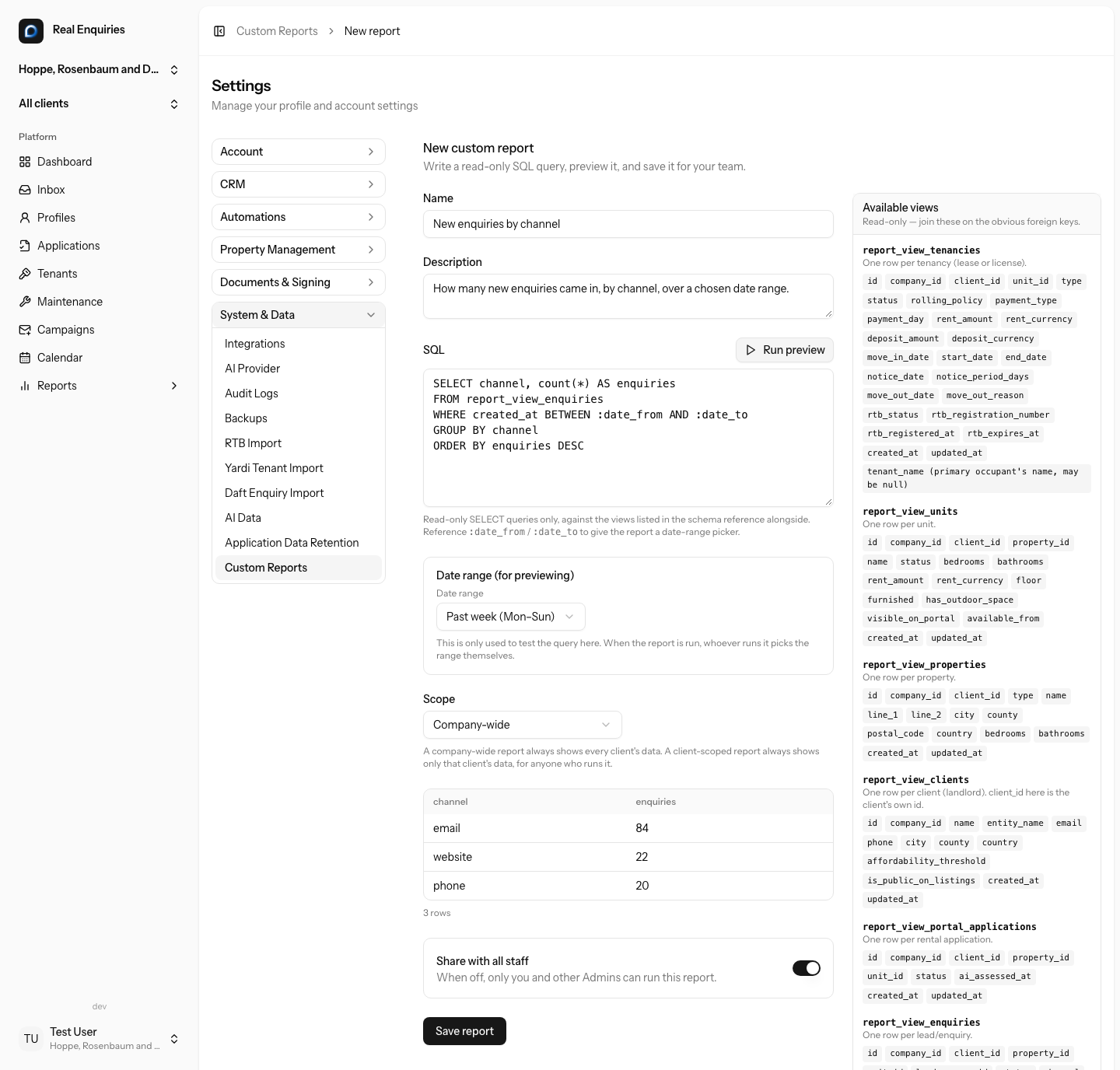
    The available views sit right beside the query. Reference :date_from / :date_to and a date-range picker appears — here to test it, and again for whoever runs the saved report.
  3. 3

    Saved reports are listed for admins to manage — the scope, whether it’s shared with all staff or kept private, and when it last ran.
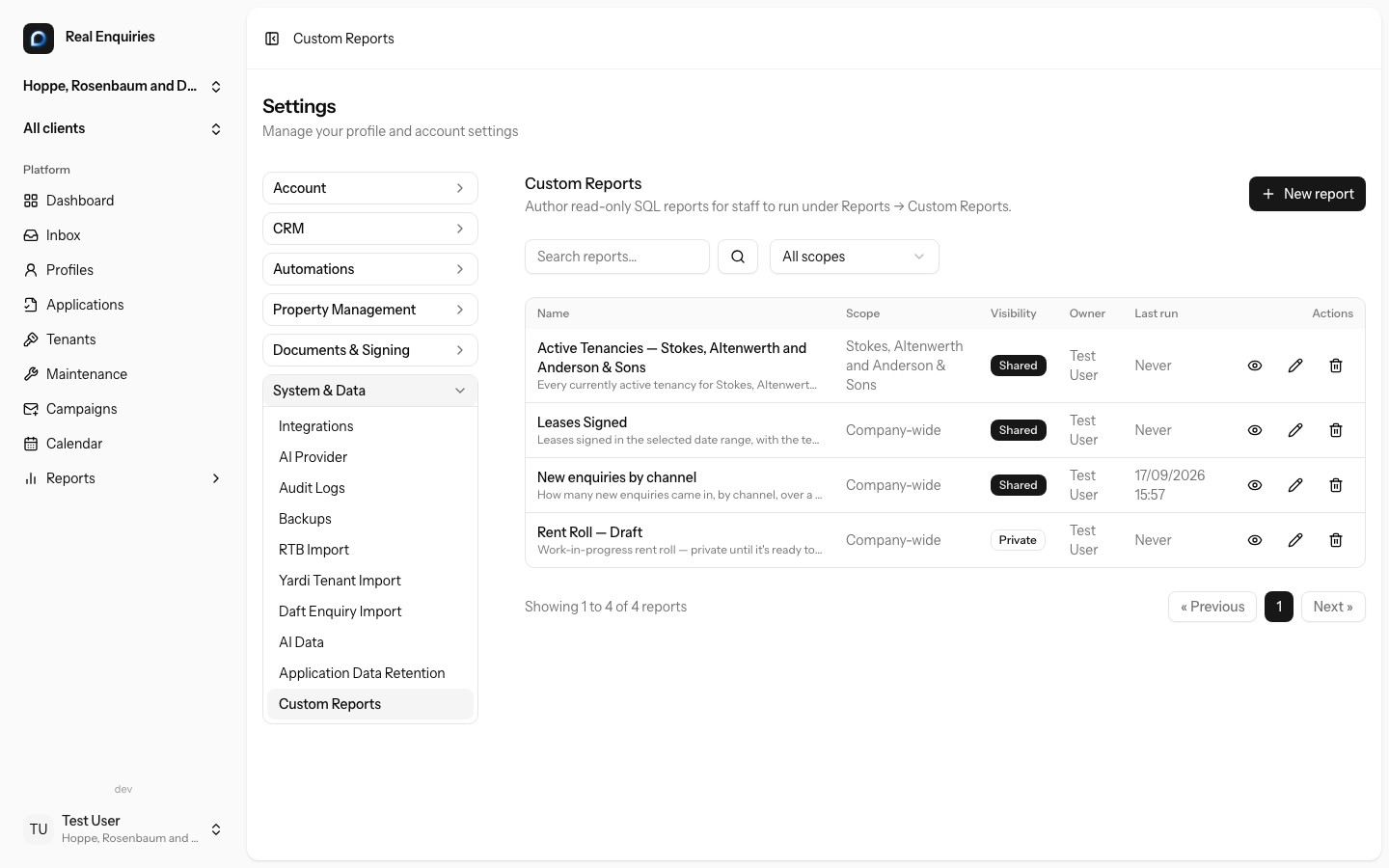
    Saved reports are listed for admins to manage — the scope, whether it’s shared with all staff or kept private, and when it last ran.
  4. 4

    Whoever runs a shared report picks their own date range — this one defaults to the past week — then exports the same view to CSV or Excel.
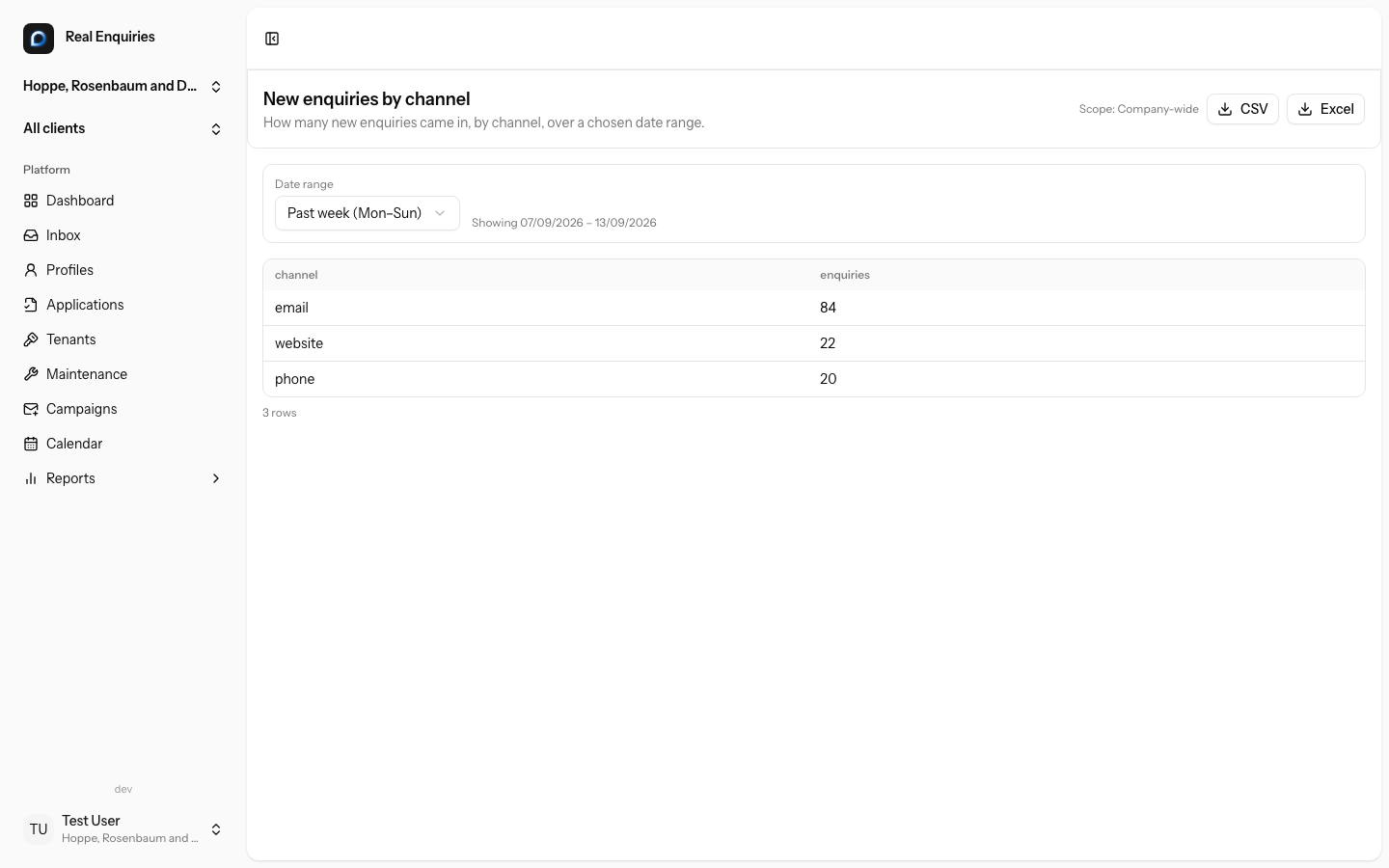
    Whoever runs a shared report picks their own date range — this one defaults to the past week — then exports the same view to CSV or Excel.

Every screen above is captured from a real, running copy of Real Enquiries, last refreshed September 2026. They update automatically as the product changes — this isn’t a mockup. All tours.

Ready to make Real Enquiries your operating system?

Join the waiting list for pilot pricing, onboarding support and the launch-partner roadmap.

Privacy Policy Disclosures

We partner with Microsoft Clarity and Meta Pixel to capture how you use and interact with our website through behavioral metrics, heatmaps, and session replay to improve and market our products/services. Website usage data is captured using first and third-party cookies and other tracking technologies to determine the popularity of products/services and online activity. Additionally, we use this information for site optimization, fraud/security purposes, and advertising. For more information about how Microsoft and Meta Pixel collect and use your data, visit the Microsoft Privacy Statement and the Meta Privacy Policy.